Project Phase (Let’s build a one-page “Developer Resume” using everything we just learned).
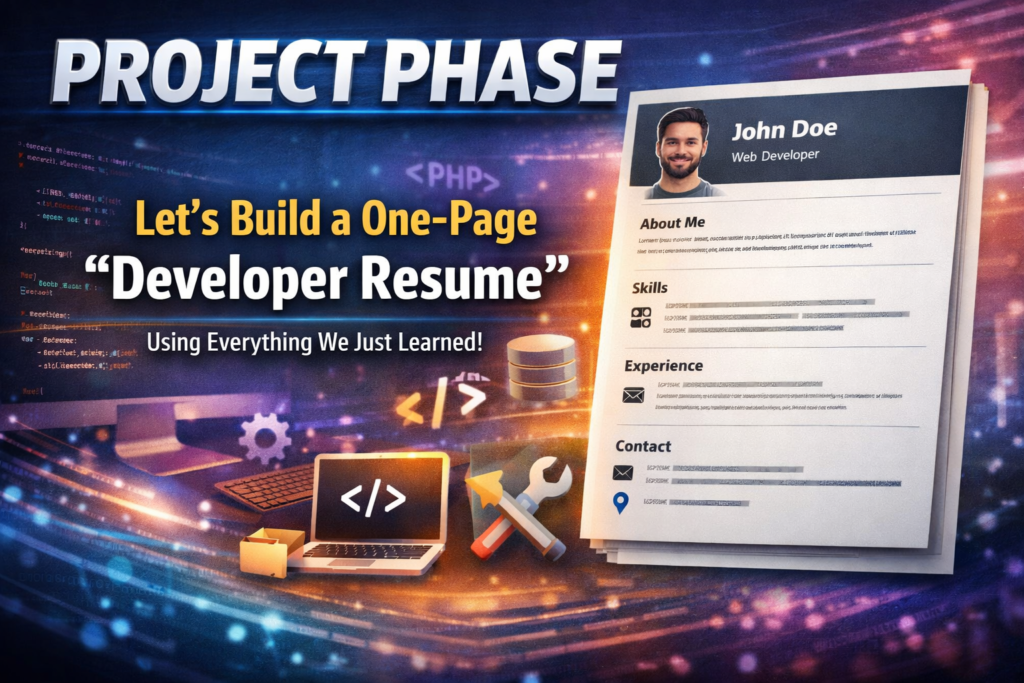
This is the perfect way to cement your knowledge. Instead of just reading about tags, you are now going to use them to build a Portfolio Resume. This is the first thing a recruiter or a client looks at, and since you’re building CodingLearners.com, this page can serve as your “Learner Profile.”
We are going to use Semantic HTML5, Images, Lists, Tables, and Data Attributes all in one file.
🏗️ The Project: “The Semantic Developer Resume”
Copy this code into a new file named resume.html. I have added comments to show you where we are using the skills from Lessons 1–12.
<!DOCTYPE html>
<html lang="en">
<head>
    <meta charset="UTF-8">
    <meta name="viewport" content="width=device-width, initial-scale=1.0">
    <meta name="description" content="Professional Web Developer Resume for the founder of Coding Learners.">
    <title>Developer Resume | Coding Learners</title>
</head>
<body>

    <header>
        <h1>Your Name</h1>
        <p>Full-Stack Developer & Founder of <strong>Coding Learners</strong></p>

        <nav>
            <a href="#about">About</a> |
            <a href="#skills">Skills</a> |
            <a href="#projects">Projects</a> |
            <a href="#contact">Contact</a>
        </nav>
    </header>

    <main>
        <section id="about">
            <h2>About Me</h2>
            <img src="https://via.placeholder.com/150" alt="Profile picture of Your Name" width="150">
            <p>I am a passionate developer specializing in <em>PHP</em> and <em>Modern HTML</em>. My goal is to make coding accessible to everyone through <strong>CodingLearners.com</strong>.</p>
        </section>

        <hr>

        <section id="skills">
            <h2>Technical Skills</h2>
            <table border="1">
                <thead>
                    <tr>
                        <th>Language</th>
                        <th>Experience Level</th>
                    </tr>
                </thead>
                <tbody>
                    <tr>
                        <td>HTML5</td>
                        <td>Advanced</td>
                    </tr>
                    <tr>
                        <td>PHP 8.x</td>
                        <td>Intermediate</td>
                    </tr>
                </tbody>
            </table>
        </section>

        <hr>

        <section id="projects">
            <h2>Recent Projects</h2>
            <ul>
                <li data-status="completed" data-year="2026">
                    <strong>Coding Learners Blog:</strong> A custom PHP-based tutorial platform.
                </li>
                <li data-status="in-progress" data-year="2026">
                    <strong>Portfolio Resume:</strong> An SEO-optimized semantic HTML page.
                </li>
            </ul>
        </section>

        <hr>

        <section id="contact">
            <h2>Hire Me / Contact</h2>
            <form action="process.php" method="POST">
                <label for="name">Name:</label><br>
                <input type="text" id="name" name="visitor_name" placeholder="Your Name" required><br><br>

                <label for="email">Email:</label><br>
                <input type="email" id="email" name="visitor_email" required><br><br>

                <label for="message">Message:</label><br>
                <textarea id="message" name="visitor_message" rows="4"></textarea><br><br>

                <button type="submit">Send Inquiry</button>
            </form>
        </section>
    </main>

    <footer>
        <p>© 2026 Your Name. Built with ❤️ at CodingLearners.com</p>
    </footer>

</body>
</html>When the page loads, the HTML will look like: <div class="tutorial-card" data-author="Admin">
4. How to use them in CSS and JS
Data attributes aren’t just for storage; you can actually use them to trigger styles or actions.
- In CSS: You can style all “advanced” lessons differently.
[data-level="advanced"] { border: 2px solid red; }
- In JavaScript: You can grab the info instantly.
let id = element.dataset.id;
🛠️ Practice Task: Create a “Smart” List
- Create an unordered list of your favorite coding tools.
- For each
<li>, add adata-priceattribute (e.g.,data-price="free"ordata-price="paid"). - Add a
data-yearattribute for when you started using it.
<ul>
    <li data-price="free" data-year="2024">VS Code</li>
    <li data-price="paid" data-year="2025">Github Copilot</li>
</ul>

9mm5lt
Write more, thats all I have to say. Literally, it seems as though you relied on the
video to make your point. You definitely know what youre talking about, why waste
your intelligence on just posting videos to your site when you
could be giving us something enlightening to read?
Hello there! This post couldn’t be written much better!
Going through this article reminds me of my previous roommate!
He continually kept talking about this. I am going to forward this information to him.
Pretty sure he will have a good read. Thanks for sharing!
I don’t know if it’s just me or if everyone else experiencing problems with your website.
It appears as though some of the written text on your content are running off the
screen. Can someone else please comment and let me know if this is
happening to them too? This might be a problem with my internet browser because I’ve had this happen previously.
Many thanks
There’s certainly a lot to find out about this issue.
I really like all of the points you’ve made.
Way cool! Some very valid points! I appreciate you writing this article
plus the rest of the site is extremely good.
I’ll right away clutch your rss as I can’t to find your email subscription hyperlink or newsletter service.
Do you’ve any? Kindly let me recognize so that
I may just subscribe. Thanks.
I read this paragraph completely concerning the comparison of most up-to-date and earlier technologies, it’s amazing article.
This article is really a fastidious one it helps new web viewers, who
are wishing for blogging.
I used to be able to find good information from your blog posts.
It’s an amazing piece of writing in support of all the
internet visitors; they will get benefit from it I am sure.
I know this web site offers quality based content and extra information, is
there any other web site which provides such things in quality?
My programmer is trying to persuade me to move to .net from PHP.
I have always disliked the idea because of the expenses.
But he’s tryiong none the less. I’ve been using WordPress on a number of websites for about a year and am worried about switching
to another platform. I have heard great things about blogengine.net.
Is there a way I can transfer all my wordpress posts into it?
Any help would be greatly appreciated!
Wow that was strange. I just wrote an very
long comment but after I clicked submit my comment didn’t appear.
Grrrr… well I’m not writing all that over again. Anyways, just wanted to
say great blog!
You actually make it seem so easy with your presentation but I find this matter to be really something which
I think I would never understand. It seems too complicated
and extremely broad for me. I’m looking forward
for your next post, I will try to get the hang of
it!
I think the admin of this site is in fact working hard for
his site, as here every material is quality based stuff.
I’ve been surfing online more than 3 hours nowadays, but I
by no means discovered any fascinating article like yours.
It’s pretty worth enough for me. In my opinion, if
all web owners and bloggers made just right
content material as you probably did, the web will likely be much more
helpful than ever before.
This is very interesting, You’re a very skilled blogger.
I have joined your rss feed and look forward to
seeking extra of your fantastic post. Also, I have shared your web site in my social networks
When some one searches for his required thing, therefore he/she wishes to be available that in detail, so that thing
is maintained over here.
I truly love your site.. Excellent colors & theme.
Did you make this amazing site yourself? Please reply back as I’m hoping to create my own personal blog and would love to know where you
got this from or what the theme is called. Appreciate
it!
Excellent blog you’ve got here.. It’s difficult to find high-quality writing like yours nowadays.
I truly appreciate people like you! Take care!!
We are a gaggle of volunteers and opening a new scheme in our
community. Your site provided us with valuable info to work on. You’ve done an impressive
process and our entire community can be grateful
to you.
Hi there everybody, here every one is sharing these kinds
of familiarity, thus it’s fastidious to
read this website, and I used to pay a quick visit this web
site everyday.
I just couldn’t go away your web site prior to suggesting that I really loved the usual information an individual
supply in your guests? Is going to be back frequently in order to check up on new posts
Nice answers in return of this question with firm arguments and
describing all concerning that.
Hi there to every one, it’s truly a pleasant for me to
pay a visit this site, it includes priceless Information.
I am curious to find out what blog platform you’re using?
I’m having some small security problems with my
latest website and I’d like to find something more risk-free.
Do you have any recommendations?
This site certainly has all the information I needed concerning this
subject and didn’t know who to ask.
I don’t even know how I ended up here, but I thought this post
was good. I don’t know who you are but definitely you are going to a famous blogger if you aren’t already 😉 Cheers!
Excellent blog here! Also your site rather a lot up fast!
What web host are you using? Can I get your
affiliate hyperlink on your host? I desire my web site loaded up as quickly as yours lol
For most recent news you have to visit world-wide-web and on internet I found this website as a most excellent website for newest updates.
I am sure this paragraph has touched all the internet people, its really really fastidious paragraph on building up new weblog.
For newest information you have to visit world wide web and on web I found this web page as a best web site for
latest updates.
Woah! I’m really enjoying the template/theme of this
blog. It’s simple, yet effective. A lot of times it’s very difficult to get
that “perfect balance” between usability and visual appeal.
I must say you have done a very good job with this.
Additionally, the blog loads extremely quick for me on Internet explorer.
Excellent Blog!
Unquestionably consider that that you stated.
Your favorite justification seemed to be at the internet the simplest factor
to take note of. I say to you, I certainly get annoyed even as other
folks consider concerns that they just don’t understand about.
You controlled to hit the nail upon the highest and also defined out
the whole thing with no need side-effects , other folks can take a signal.
Will likely be again to get more. Thank you
I know this if off topic but I’m looking into starting my own weblog and was wondering
what all is needed to get setup? I’m assuming having a blog like yours
would cost a pretty penny? I’m not very internet smart so I’m not 100% sure.
Any suggestions or advice would be greatly appreciated.
Thanks
Hiya! I know this is kinda off topic however I’d figured I’d ask.
Would you be interested in exchanging links or maybe guest writing a blog article or vice-versa?
My site discusses a lot of the same subjects as yours and I think we could greatly benefit from each other.
If you happen to be interested feel free to
send me an e-mail. I look forward to hearing from you! Superb blog
by the way!
Ahaa, its pleasant discussion regarding this
article at this place at this website, I have read all that, so now me also commenting at this place.
Attractive part of content. I simply stumbled upon your
weblog and in accession capital to assert that I get in fact enjoyed account your blog posts.
Any way I’ll be subscribing for your feeds and even I fulfillment you access persistently fast.
Valuable info. Fortunate me I found your website unintentionally,
and I am surprised why this coincidence did not happened earlier!
I bookmarked it.
Hi, Neat post. There’s a problem with your site in web explorer,
could test this? IE nonetheless is the marketplace leader and
a large section of other folks will pass over your great writing due to this problem.
Pretty section of content. I just stumbled upon your site and in accession capital to assert that
I get actually enjoyed account your blog posts. Any way I will be subscribing
to your augment and even I achievement you access consistently quickly.
Excellent post however , I was wanting to know if you could write a litte more on this topic?
I’d be very thankful if you could elaborate a little bit further.
Kudos!
Hi, always i used to check website posts here in the early
hours in the dawn, as i like to learn more and more.
My brother recommended I might like this web site. He was totally right.
This post actually made my day. You cann’t imagine simply how much time I had spent for this info!
Thanks!
I know this if off topic but I’m looking into starting my own weblog and was wondering what all is required to get setup?
I’m assuming having a blog like yours would cost a pretty penny?
I’m not very internet smart so I’m not 100% positive.
Any suggestions or advice would be greatly appreciated.
Cheers
Today, I went to the beach with my kids. I found a sea shell
and gave it to my 4 year old daughter and said “You can hear the ocean if you put this to your ear.” She
placed the shell to her ear and screamed. There was a
hermit crab inside and it pinched her ear. She never wants to go back!
LoL I know this is completely off topic but I had
to tell someone!
Excellent site you have got here.. It’s difficult to find
good quality writing like yours these days. I really appreciate
people like you! Take care!!
I like looking through an article that will make people think.
Also, thank you for allowing me to comment!
I’ll right away seize your rss as I can not find your e-mail subscription link or e-newsletter service.
Do you’ve any? Please let me recognise in order that I may just subscribe.
Thanks.
I’d like to thank you for the efforts you have put in writing this site.
I am hoping to check out the same high-grade blog posts from
you later on as well. In fact, your creative writing abilities has
motivated me to get my very own website now 😉
Hello, every time i used to check weblog posts here early in the break of
day, since i enjoy to learn more and more.
Do you mind if I quote a few of your posts as long as I provide credit and sources back to your website?
My blog is in the exact same area of interest as yours and
my visitors would genuinely benefit from
a lot of the information you provide here. Please let me know if this ok with you.
Thanks a lot!
Hello to all, how is the whole thing, I think every one is getting more from this
site, and your views are fastidious in favor of new visitors.
Thanks for sharing such a good thought, piece of writing is good, thats why i have read it fully
My partner and I stumbled over here coming from a different web
address and thought I may as well check things out. I like what I
see so i am just following you. Look forward to looking over your web page again.
It’s remarkable to go to see this site and reading the views of all mates regarding this
paragraph, while I am also keen of getting know-how.
I like the helpful info you provide in your articles. I’ll bookmark your weblog and check again here regularly.
I’m quite sure I’ll learn plenty of new stuff right here!
Best of luck for the next!
This page really has all the info I needed about this
subject and didn’t know who to ask.
Hi there, yeah this paragraph is truly pleasant and I have learned lot of things from
it regarding blogging. thanks.
you’re in reality a good webmaster. The site loading velocity is incredible.
It kind of feels that you’re doing any unique trick.
Furthermore, The contents are masterpiece. you have performed a fantastic process in this subject!
Howdy! I understand this is kind of off-topic but I needed to ask.
Does running a well-established website such as yours take
a massive amount work? I am completely new to writing a blog but I do
write in my journal daily. I’d like to start a blog so I can easily share my
own experience and views online. Please let me know if you have any suggestions or tips for brand new aspiring blog owners.
Thankyou!
If you wish for to increase your experience simply keep visiting this web
site and be updated with the hottest news posted here.
Asking questions are genuinely fastidious thing if you are not understanding anything completely, but this paragraph presents fastidious
understanding yet.
Hi there friends, good paragraph and nice urging commented
here, I am in fact enjoying by these.
Hi there it’s me, I am also visiting this web site regularly, this site
is truly nice and the users are actually sharing good thoughts.
Thanks for finally writing about > Project Phase (Let’
s build a one-page “Developer Resume” using everything
we just learned). – Learn To Code < Loved it!
I’m not that much of a internet reader to be honest but your sites really nice, keep it up!
I’ll go ahead and bookmark your website to come back in the future.
All the best
Appreciating the dedication you put into your website and detailed information you offer.
It’s nice to come across a blog every once in a while that isn’t the same outdated rehashed material.
Great read! I’ve bookmarked your site and I’m including your RSS feeds
to my Google account.
Howdy! Do you know if they make any plugins to protect against hackers?
I’m kinda paranoid about losing everything I’ve worked hard
on. Any suggestions?
Hello! This post could not be written any better!
Reading through this post reminds me of my old
room mate! He always kept talking about this. I
will forward this page to him. Fairly certain he will
have a good read. Thanks for sharing!
It’s a pity you don’t have a donate button! I’d without
a doubt donate to this outstanding blog! I guess for now i’ll settle for book-marking and
adding your RSS feed to my Google account. I look forward to
new updates and will share this site with my Facebook group.
Chat soon!
I really like what you guys tend to be up too. Such clever work and coverage!
Keep up the very good works guys I’ve included you guys to blogroll.
Hello friends, good piece of writing and pleasant arguments commented here,
I am genuinely enjoying by these.
Hi there! Would you mind if I share your blog with my facebook group?
There’s a lot of people that I think would really enjoy your
content. Please let me know. Thanks
When someone writes an article he/she keeps the
plan of a user in his/her brain that how a user can understand it.
Thus that’s why this piece of writing is great.
Thanks!
Do you have a spam problem on this site; I
also am a blogger, and I was curious about your situation; many of us have developed some nice
methods and we are looking to exchange techniques with others, why not shoot me an e-mail if interested.
I do not even know how I ended up here, but I thought this post
was good. I do not know who you are but certainly you’re
going to a famous blogger if you aren’t already 😉
Cheers!
Oh my goodness! Amazing article dude! Thanks, However I am encountering troubles with your
RSS. I don’t know the reason why I cannot subscribe to it.
Is there anyone else having identical RSS problems? Anyone who knows the answer can you kindly respond?
Thanx!!
Whoa! This blog looks exactly like my old one! It’s on a entirely different subject but it has pretty
much the same page layout and design. Wonderful choice of colors!
We are a group of volunteers and starting a brand new scheme in our community.
Your web site offered us with helpful information to
work on. You’ve done a formidable job and our entire neighborhood will
be grateful to you.
I have been surfing online more than 3 hours today, yet I never found any interesting
article like yours. It’s pretty worth enough for me. In my view, if all site owners and bloggers made good content as you did, the internet will be a lot
more useful than ever before.
I am regular visitor, how are you everybody? This piece of writing posted at this website is in fact good.
Hi it’s me, I am also visiting this web site daily, this web site is
actually nice and the users are genuinely sharing fastidious thoughts.
Hey there! This is my first comment here so I just wanted
to give a quick shout out and tell you I truly enjoy reading through your articles.
Can you recommend any other blogs/websites/forums that deal with the
same subjects? Thanks!
Outstanding post but I was wondering if you could write a litte more on this topic?
I’d be very thankful if you could elaborate a little bit more.
Many thanks!
Hi there, everything is going well here and
ofcourse every one is sharing information, that’s truly good, keep up writing.
With havin so much content do you ever run into any issues
of plagorism or copyright infringement? My site has a lot of completely unique content I’ve either created myself or outsourced but it
appears a lot of it is popping it up all over the internet without my permission. Do you know any solutions
to help reduce content from being ripped off? I’d genuinely appreciate it.
Greetings I am so grateful I found your website, I really found you by
error, while I was browsing on Askjeeve for something else, Anyhow I am here now and would just like to say many thanks for a tremendous post and a all round interesting blog (I also love the theme/design),
I don’t have time to go through it all at the moment but I
have book-marked it and also added your RSS feeds, so when I have time
I will be back to read a lot more, Please do keep up the fantastic jo.
Hey there! I just wanted to ask if you ever have any trouble with hackers?
My last blog (wordpress) was hacked and I ended up losing many months of hard
work due to no back up. Do you have any methods to stop hackers?
Wow that was odd. I just wrote an really long comment but after I clicked submit my comment didn’t show up.
Grrrr… well I’m not writing all that over again.
Anyhow, just wanted to say superb blog!
Hey there would you mind sharing which blog platform you’re
using? I’m looking to start my own blog in the
near future but I’m having a difficult time choosing between BlogEngine/Wordpress/B2evolution and Drupal.
The reason I ask is because your design seems different then most
blogs and I’m looking for something completely unique.
P.S Sorry for getting off-topic but I had to ask!
I have read so many posts on the topic of the blogger lovers however
this article is truly a good post, keep
it up.
Hello There. I found your blog using msn. This is an extremely well written article.
I will make sure to bookmark it and come back to read more of your useful
info. Thanks for the post. I will certainly return.
Thanks for sharing such a nice idea, post is good, thats why i have read it entirely
First of all I want to say great blog! I had a quick question that I’d like
to ask if you don’t mind. I was curious to find out how you center yourself and clear your mind before writing.
I’ve had a difficult time clearing my mind in getting my
ideas out there. I truly do enjoy writing but it just seems like the first 10 to 15
minutes tend to be wasted simply just trying to figure out how to
begin. Any ideas or tips? Thanks!
I enjoy what you guys are usually up too. This type of clever work and exposure!
Keep up the good works guys I’ve added you
guys to our blogroll.
Spot on with this write-up, I seriously believe that this site needs much more attention. I’ll probably be returning to read more, thanks for
the info!
At this moment I am going to do my breakfast, later than having
my breakfast coming again to read more news.
Why people still make use of to read news papers when in this
technological world the whole thing is accessible on web?
Thankfulness to my father who shared with me concerning this weblog, this blog is truly remarkable.
It’s not my first time to pay a visit this web page, i am browsing this website dailly and obtain nice information from here everyday.
This post will assist the internet viewers for setting up new blog or even a blog from start to end.
Hi there to every one, for the reason that I am in fact keen of reading this web site’s
post to be updated on a regular basis. It contains pleasant material.
I constantly spent my half an hour to read this blog’s
articles or reviews daily along with a cup of coffee.
This post will assist the internet visitors for setting up new webpage or even a blog from start to end.
Can I just say what a comfort to uncover an individual who
genuinely knows what they’re talking about online. You definitely understand how to bring a problem to light and make
it important. More and more people must read
this and understand this side of the story. I was surprised that you aren’t more popular given that you most certainly have the gift.
Pretty great post. I just stumbled upon your weblog and wished to
say that I have truly enjoyed browsing your weblog posts.
After all I will be subscribing on your rss feed and I am hoping you write once
more very soon!
Everything is very open with a really clear description of the
challenges. It was truly informative. Your website
is very useful. Thanks for sharing!
Ahaa, its nice discussion on the topic of this piece of writing here at this
web site, I have read all that, so now me also commenting
here.
This post presents clear idea for the new people of blogging, that genuinely how to do blogging.
You should be a part of a contest for one of the best websites on the internet.
I’m going to highly recommend this website!
Good day! This is my first visit to your blog! We are a team of volunteers and starting a
new project in a community in the same niche. Your blog
provided us beneficial information to work on. You have done a outstanding job!
I’m not sure why but this blog is loading very slow for me.
Is anyone else having this issue or is it a issue on my end?
I’ll check back later on and see if the problem still exists.
Stunning story there. What occurred after? Thanks!
Hi! I know this is kind of off-topic however I had to ask.
Does operating a well-established website like yours require a large amount of work?
I’m completely new to operating a blog but I do write in my journal every day.
I’d like to start a blog so I can share my experience and thoughts online.
Please let me know if you have any ideas or tips for brand new aspiring blog
owners. Thankyou!
Hi would you mind stating which blog platform you’re working with?
I’m looking to start my own blog in the near future but I’m having a tough time selecting between BlogEngine/Wordpress/B2evolution and Drupal.
The reason I ask is because your layout seems different then most blogs and I’m looking
for something unique. P.S My apologies for being off-topic
but I had to ask!
Article writing is also a excitement, if you be familiar with then you can write otherwise it is complex to write.
Hi! Would you mind if I share your blog with my myspace group?
There’s a lot of folks that I think would really appreciate your content.
Please let me know. Cheers
Good day! I could have sworn I’ve been to this site before but after browsing through
many of the posts I realized it’s new to me. Regardless, I’m
certainly pleased I came across it and I’ll be book-marking it and checking back
frequently!
Good day! Do you know if they make any plugins to protect against hackers?
I’m kinda paranoid about losing everything I’ve worked hard on. Any suggestions?
Magnificent beat ! I wish to apprentice while you amend your web site, how
could i subscribe for a blog site? The account
aided me a acceptable deal. I had been tiny bit acquainted of this your broadcast provided
bright clear concept
Hello it’s me, I am also visiting this web page on a regular
basis, this web page is genuinely good and the visitors are in fact sharing fastidious thoughts.
Keep on writing, great job!
Everyone loves it when people get together and share thoughts.
Great blog, stick with it!
Excellent pieces. Keep posting such kind of info on your page.
Im really impressed by it.
Hi there, You’ve performed a great job. I will certainly digg it and personally suggest to my friends.
I’m confident they’ll be benefited from this site.
Hello there! Do you know if they make any plugins to
safeguard against hackers? I’m kinda paranoid about losing
everything I’ve worked hard on. Any tips?
Hi, I believe your web site may be having web browser compatibility issues.
Whenever I look at your blog in Safari, it looks fine however, when opening in I.E., it has
some overlapping issues. I just wanted to give you a quick heads up!
Other than that, wonderful site!
It’s actually a great and helpful piece of information.
I’m satisfied that you just shared this useful
info with us. Please stay us informed like this. Thanks for sharing.
Greetings! Very helpful advice in this particular post!
It’s the little changes which will make the greatest changes.
Many thanks for sharing!
Hello! I just wish to offer you a huge thumbs up for
your excellent info you have got here on this post. I’ll be returning to your site for more
soon.