Lesson 12: “Data Attributes” (The PHP connection).
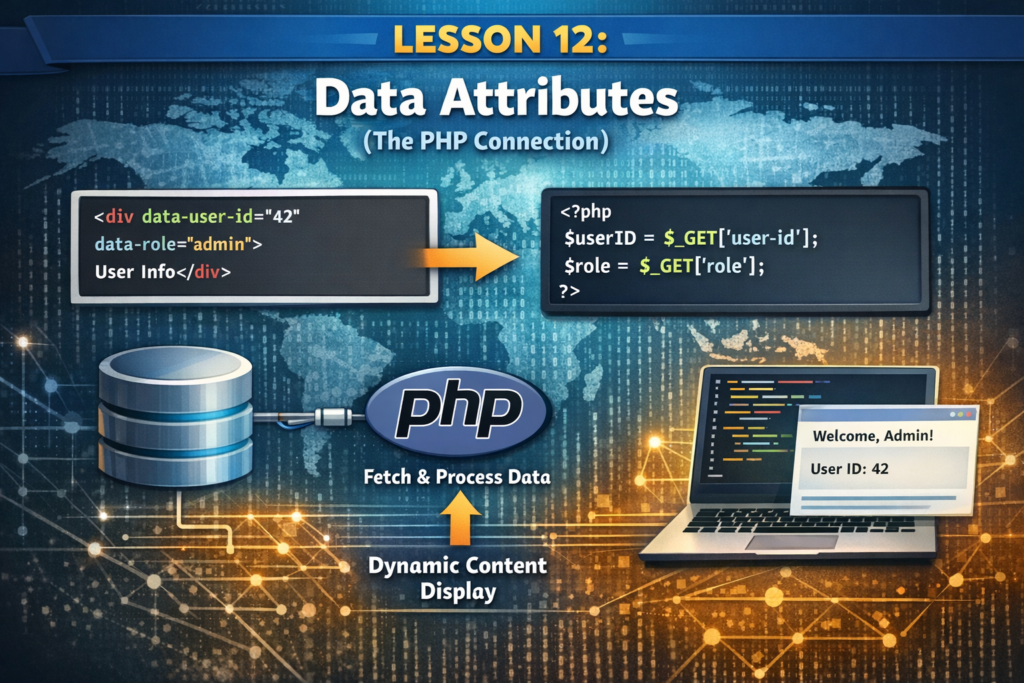
Data attributes allow us to create our own custom attributes on any HTML element. They always start with the prefix data-
1. Why do we need them?
Imagine you are building a list of tutorials using PHP. You want to store the “Difficulty Level” or the “Tutorial ID” so that if a user clicks a button, your website knows exactly which lesson to open.
2. The Syntax
You can name a data attribute anything you want, as long as it starts with data- and uses lowercase letters.
The Code:
<ul>
    <li data-id="101" data-level="beginner" data-type="php">Introduction to PHP</li>
    <li data-id="102" data-level="intermediate" data-type="php">Working with MySQL</li>
    <li data-id="103" data-level="advanced" data-type="javascript">React Hooks</li>
</ul>3. The “PHP Connection”
As a PHP developer, you won’t usually type these by hand. You will use PHP to “spit them out” from your database.
The PHP Logic (Conceptual):
<?php
// Imagine $tutorial is coming from your database
echo '<div class="tutorial-card" data-author="' . $tutorial['author'] . '">';
echo '<h2>' . $tutorial['title'] . '</h2>';
echo '</div>';
?>When the page loads, the HTML will look like: <div class="tutorial-card" data-author="Admin">
4. How to use them in CSS and JS
Data attributes aren’t just for storage; you can actually use them to trigger styles or actions.
- In CSS: You can style all “advanced” lessons differently.
[data-level="advanced"] { border: 2px solid red; }
- In JavaScript: You can grab the info instantly.
let id = element.dataset.id;
🛠️ Practice Task: Create a “Smart” List
- Create an unordered list of your favorite coding tools.
2. For each <li>, add a data-price attribute (e.g., data-price="free" or data-price="paid").
3. Add a data-year attribute for when you started using it.
<ul>
    <li data-price="free" data-year="2024">VS Code</li>
    <li data-price="paid" data-year="2025">Github Copilot</li>
</ul>

6 Responses
[…] Previous Next […]
minoxidil mechanism interpretation
minoxidil mechanism interpretation
minoxidil duration clinical overview
minoxidil duration clinical overview
minoxidil pk overview
minoxidil pk overview
vardenafil food interaction information
vardenafil food interaction information
insurance requirements
insurance requirements