Lesson 2: The Essential HTML Boilerplate
In Lesson 1, we learned that HTML is the skeleton of a webpage. But before you start adding “bones” like headings and images, you need to set up the environment.
In web development, we call this the Boilerplate. It is the standard code that you will copy and paste into the start of every single project you ever build.
The “Must-Have” Code
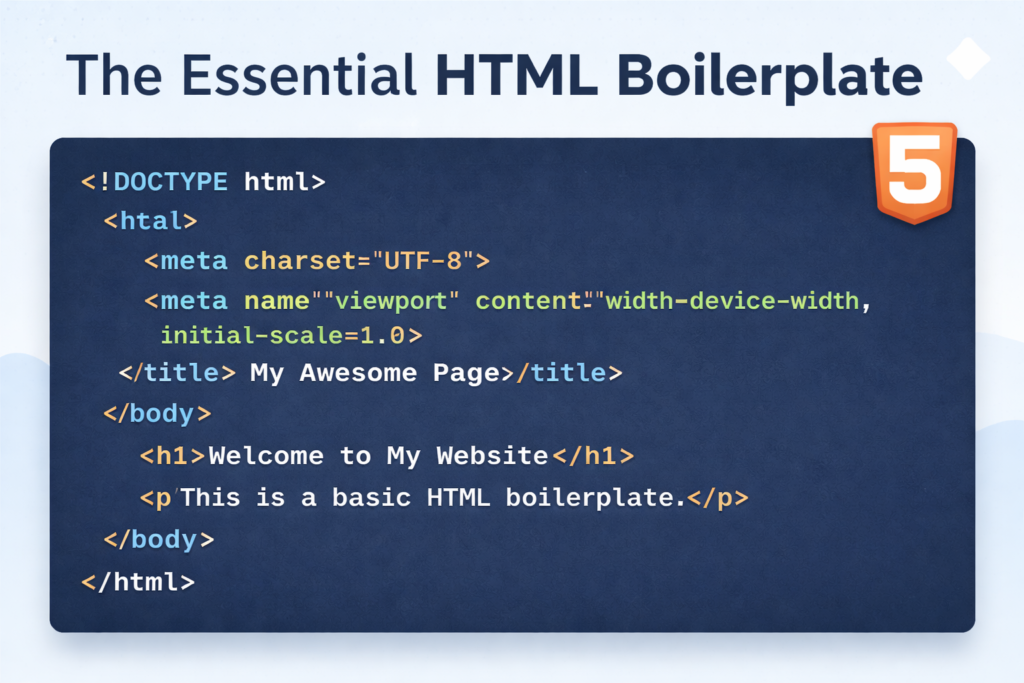
Copy this into your text editor. This is the “DNA” of a webpage:
<!DOCTYPE html>
<html lang="en">
<head>
    <meta charset="UTF-8">
    <meta name="viewport" content="width=device-width, initial-scale=1.0">
    <title>My First Lesson | Coding Learners</title>
</head>
<body>

    <h1>Welcome to Coding Learners</h1>

</body>
</html>Breaking It Down: What Does Each Line Do?
It looks like a lot of technical jargon, but it’s actually very logical. Let’s look at the “Big Four” parts of the boilerplate:
1. <!DOCTYPE html>
This isn’t actually an HTML tag! It’s a “declaration.” It tells the browser: “Hey, I am using the latest version of HTML (HTML5). Please render this page correctly.”
2. The <html> Tag
This is the Root Element. Everything on your page—literally every single line of code—must live inside the opening <html> and the closing </html> tags.
- Note: The
lang="en"attribute tells search engines and screen readers that the page is in English.
3. The <head> Section (The “Brain”)
The “Head” contains information about the page that the user cannot see.
<title>: This is what appears on the browser tab at the top of the screen.
<meta charset="UTF-8">: Tells the browser to use a standard character set (so emojis and special symbols show up right).
<meta name="viewport">: This is the “Responsive” tag. It makes sure your website looks good on iPhones and Androids, not just laptops.
4. The <body> Section (The “Body”)
This is where the magic happens! Everything you want your visitors to see—text, images, videos, buttons—must be placed inside the <body> tags.
🛠️ Practice Task
Open your index.html file from Lesson 1.
Replace everything in it with the Boilerplate code above.
Change the text inside the <title> tags to your name (e.g., <title>John's Portfolio</title>).
Refresh your browser tab. Notice how the name on the tab changed, but the page content stayed the same? That is the power of the <head>!

2 Responses
[…] Next […]
[…] Previous Next […]