Lesson 8: HTML Tables (Organizing Data)
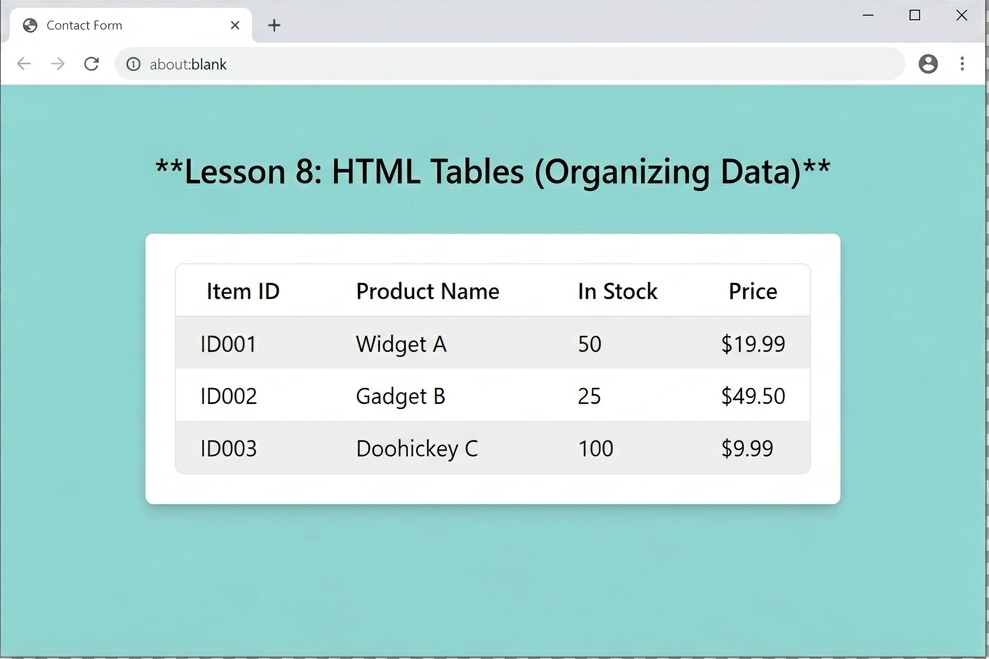
We’re wrapping up Phase 2! While many modern websites use “Flexbox” or “Grid” (which are CSS topics) for layout, HTML Tables are still the absolute best way to display structured data.
An HTML table is built using a “row-by-row” logic. Think of it like a spreadsheet: you define a row, and then you fill that row with cells.
1. The Table Tags
To build a table, you need four main tags:
<table>: The main container.
<tr>(Table Row): Creates a horizontal row.
<th>(Table Header): Defines a header cell (usually bold and centered by default).
<td>(Table Data): Defines a standard cell for your content.
2. A Practical Example: Language Comparison
Let’s build a table that compares the languages we are teaching at Coding Learners. Copy this into your index.html:
<table border="1">
    <thead>
        <tr>
            <th>Language</th>
            <th>Type</th>
            <th>Difficulty</th>
        </tr>
    </thead>
    <tbody>
        <tr>
            <td>HTML</td>
            <td>Markup</td>
            <td>Easy</td>
        </tr>
        <tr>
            <td>PHP</td>
            <td>Server-side</td>
            <td>Medium</td>
        </tr>
        <tr>
            <td>JavaScript</td>
            <td>Client-side</td>
            <td>Medium</td>
        </tr>
    </tbody>
</table>3. Making it Readable: <thead>, <tbody>, and <tfoot>
Just like the main page has a <header> and <footer>, a complex table can be broken down into sections. This helps search engines understand which part is the “Title” of the data and which part is the “Result.”
<thead>: Wraps the header rows.
<tbody>: Wraps the main data rows.
<tfoot>: Wraps the summary or “Total” row at the bottom.
4. Spanning Rows and Columns
Sometimes you need a cell to take up more than one space (like a “merged cell” in Excel).
colspan="2": Makes a cell stretch across two columns.
rowspan="2": Makes a cell stretch down across two rows.
The Code:
<tr>
    <td colspan="3">All these languages are essential for Web Dev!</td>
</tr>🛠️ Practice Task: Create a Study Schedule
1.Below your Contact Form from Lesson 7, create a new <table>.
2. Create three columns: Day, Topic, and Time Spent.
3. Fill in at least three rows with your progress so far (e.g., Monday | HTML Basics | 2 Hours).
4. Add a border="1" attribute to the <table> tag so you can see the lines!
3 Responses
[…] Previous Next […]
[…] Previous Next […]
[…] Previous […]