Lesson 1: What is HTML? (The Skeleton of the Web)
If you’ve ever wanted to build a website, you’ve probably heard of HTML. But what exactly is it?
At Coding Learners, we like to explain it using the “Building” analogy. If a website were a house:
JavaScript is the electricity and plumbing (the functionality).
HTML is the frame and the walls (the structure).
CSS is the paint and the furniture (the style).
What does HTML actually do?
HTML stands for HyperText Markup Language. It isn’t a “programming” language like PHP where you write complex logic; instead, it is a markup language. It tells your web browser (Chrome, Safari, or Firefox) what each part of your content is.
Without HTML, your browser wouldn’t know if a piece of text is a big heading, a paragraph, or a link to another page.
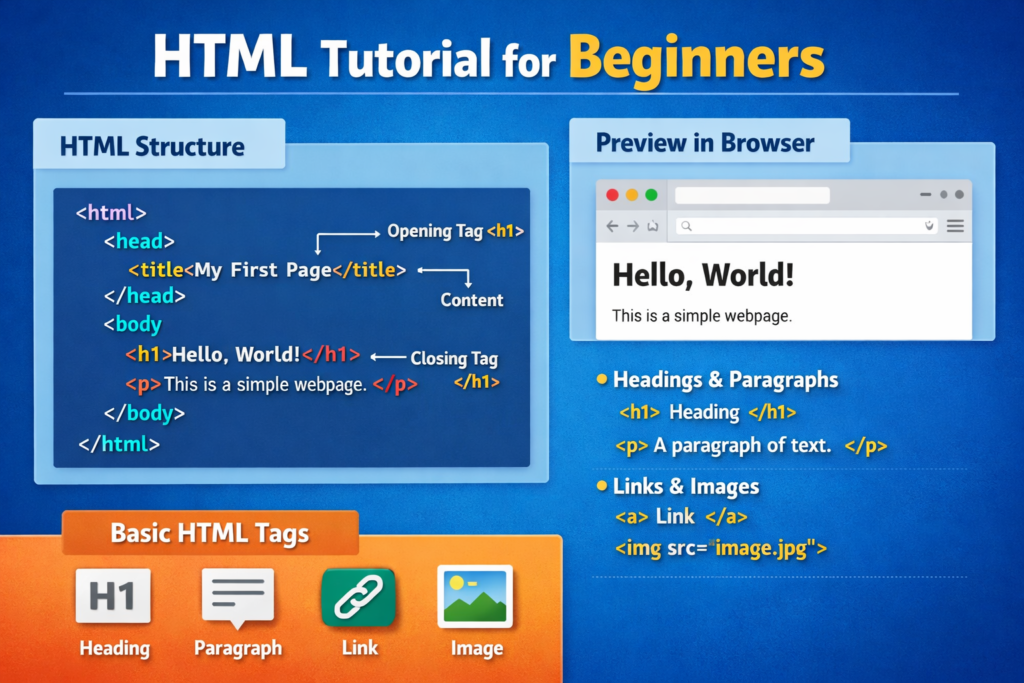
The Anatomy of an HTML Tag
HTML works through a system of tags. Most tags have an opening part and a closing part. Think of them like containers that “wrap” your content.
- Opening Tag (
<p>): Tells the browser, “A paragraph starts here.” - Content: The actual text or image you want to show.
- Closing Tag (
</p>): Tells the browser, “The paragraph ends here.” (Notice the forward slash/!)
The Basic Structure (The “Boilerplate”)
Every HTML file you ever create will start with the same basic code. This is called a boilerplate. It sets the stage for the rest of your content.
<!DOCTYPE html>
<html>
<head>
    <title>My First Page | Coding Learners</title>
</head>
<body>
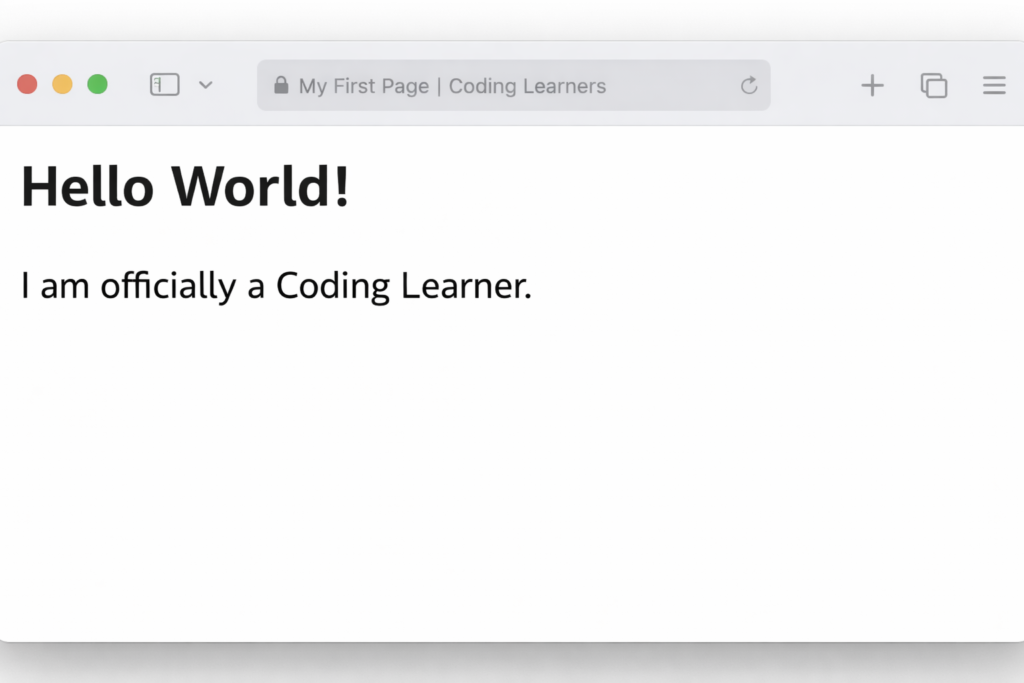
    <h1>Hello World!</h1>
    <p>I am officially a Coding Learner.</p>
</body>
</html>Why should you learn HTML first?
- It’s the foundation: You cannot learn CSS, JavaScript, or PHP effectively without a solid grasp of HTML.
- SEO (Search Engine Optimization): Google “reads” your HTML tags to decide how to rank your website. Good HTML = Better traffic for your site!
- It’s Easy: You can see results instantly. Just save a file and open it in your browser.
🛠️ Practice Task
Ready to get your hands dirty?
1. Open a simple text editor (like Visual Studio Code, Notepad , Sublime Text or TextEdit).
2. Copy the code block above.
3. Save the file as index.html.
4. Open that file with your web browser.
You just created your first website!

Easy peasy lemon squeezy! Got my www 30jili vip com login done. Now the real fun begins! Time to get lucky! Quick login here: www 30jili vip com login
Finally a platform that understands the local market here in Colombia. The odds are competitive and the registration process was a breeze. Love using co1xbetcolombia
33mexcasino is my new go-to! The games are slick, the support is friendly, and I actually won a few bucks! I’m lovin’ it. Explore it now. 33mexcasino